





 Lire en français
If you’ve ever tried to leave Google Authenticator, you probably know the problem.
You tap “Transfer codes”, scan the QR on the new device, and that’s that. Smooth, as long as you stay inside Google’s app. But try to move those same TOTP codes to a different authenticator, to a password vault, or simply to a text file you’ll print and lock in a safe, and you can’t. The export QR is opaque. It contains every one of your secrets, but you cannot read them without Google Authenticator on the receiving end.
That isn’t really a security feature. It’s a portability problem.
What’s actually inside that QR
The Google Authenticator export QR is a URI that looks like otpauth-migration://offline?data=.... The data blob is a base64-encoded protocol buffer (protobuf) containing each TOTP entry: name, issuer, secret, algorithm, digits, period. It’s a standard data format. Nothing exotic. Nothing that requires a particular vendor’s app to decode.
The format has been documented for years, reverse-engineered and written up most thoroughly by Alex Bakker. Command-line decoders in Python and Go already exist on GitHub. What hadn’t shipped was something a non-technical user could use safely: a simple, fully client-side, auditable web tool that you wouldn’t think twice about feeding your secrets to. That is the gap we filled.
The tool
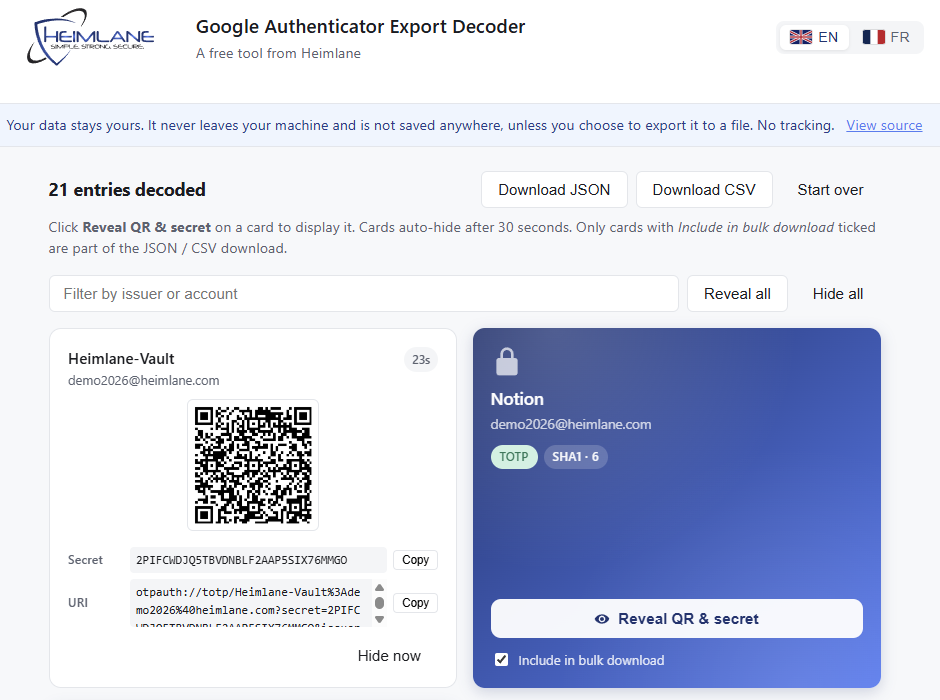
free-tools.heimlane.com/ga-decoder/ takes the export QR and shows you what’s actually in it: a clean list of your accounts, with the secrets you can copy into any other authenticator or vault.
How it works
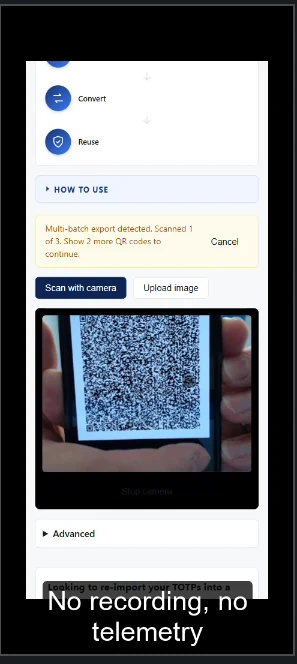
Three ways to feed it the QR depending on what you have on hand:
- Scan with your camera. Open the page on a laptop, hold the QR up to your webcam. The decoder reads it in real time without sending the image anywhere.
- Upload an image. A screenshot of the QR from your phone works fine (where the app lets you). Drop it on the page.
- Paste the URI. If you already have the raw
otpauth-migration://offline?data=...string, paste it directly.
Three ways to read the result depending on what you’re moving to:
- Re-scannable QRs for your new authenticator app. One QR per account; point your new app’s camera at each.
- Copyable base32 secrets for any tool that takes a TOTP seed directly: password vaults, hardware tokens, any sane authenticator.
- Bulk JSON or CSV for when you have dozens of entries and want to script the migration, or print them to lock in a physical safe.
Multi-batch exports (when Google splits a large vault across several QRs) and HOTP entries are both handled.
A few principles we baked in
Nothing leaves your browser. The decoder is a static page. It scans the QR locally, runs the protobuf parse locally, and never sends anything anywhere. No backend, no telemetry, no analytics.
Source is open. The full source is on GitHub, licensed under MIT.
Isolated subdomain. The decoder lives on free-tools.heimlane.com, a separate origin from the main site and from Heimlane Vault. No telemetry, no analytics, not gated by a form.
Per-entry reveal. Secrets stay hidden behind a click, so a screen-share or an accidental screenshot won’t expose them, even if someone is looking over your shoulder. Once revealed, cards auto-hide after 30 seconds.
Why this tool
It’s a tool we wanted ourselves, and one we first built so our Heimlane Vault users could pull their TOTP codes out of Google Authenticator and into Vault without losing anything. We figured plenty of people would want the same, Vault user or not, so we made it free, public, and open source.
It’s also a reflection of how we think at Heimlane: your secrets are yours, the formats holding them shouldn’t trap you, and your data should never be monetized. The decoder ships those values in about 200KB of static HTML and JavaScript.
Kudos to Google for shipping an export at all (more than several other authenticator apps can claim), and to those who documented the format before us. We just made it accessible.
→ Open the Google Authenticator Export Decoder
If you want a place to store these alongside passwords and passkeys, Heimlane Vault does that too.